
Google is continuing to improve Android 17 with smaller updates between major releases, and the latest Android 17 QPR2 update is one of the more interesting ones for Pixel users. Instead of completely changing Android, QPR2 focuses on useful refinements, security improvements, interface changes and bug fixes.
The latest build is Android 17 QPR2 Beta 3, which Google released on August 14, 2026. It carries the August 5, 2026 security patch and is available through the Android 17 QPR2 beta program for supported Pixel devices. Google describes QPR releases as quarterly platform updates that are delivered to AOSP and Pixel devices as part of Feature Drops.
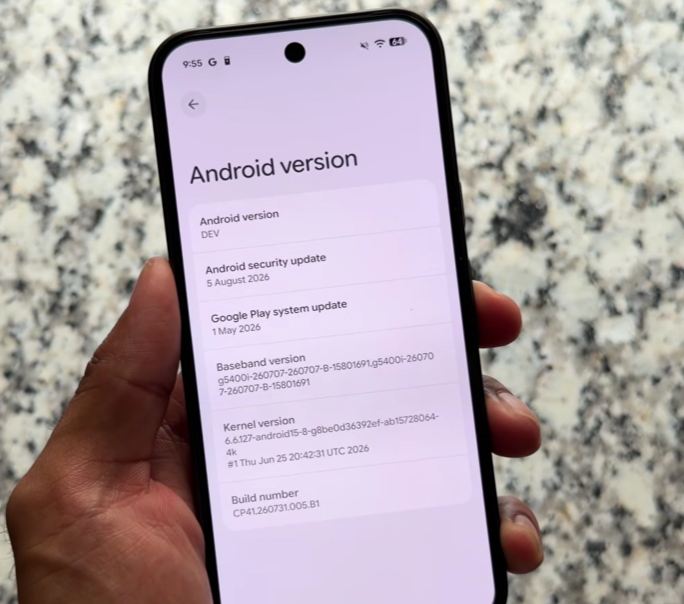
What makes this release interesting is that Beta 3 isn’t limited to behind-the-scenes fixes. Current testing has revealed changes to Quick Settings, Dynamic Color, the Pixel lock screen and App Lock, while Google’s official release notes confirm a new security measure designed to reduce call-forwarding fraud.
So, what exactly has changed, and should you install the beta? Let’s break down everything you need to know.
If you follow Android news closely, the Android 17 QPR2 update is one of the most talked-about software releases right now. Unlike a major Android version, the Android 17 QPR2 update focuses on refining the user experience with useful features, stronger security, and smoother performance. Many Pixel users are already testing the latest beta version to explore what the Android 17 QPR2 update brings to their devices. From better customization options to important bug fixes, the Android 17 QPR2 update aims to make Android more polished and reliable. Google is also introducing smarter privacy protections, making the Android 17 QPR2 update more than just a routine software patch. If you own a compatible Pixel phone, understanding the Android 17 QPR2 update can help you decide whether to install the beta or wait for the stable release. In this guide, we cover everything you need to know about the Android 17 QPR2 update, including new features, supported devices, and important changes that users should be aware of.
Table of Contents
What Is Android 17 QPR2?
If you want to explore the major changes introduced with Android 17, check our guide to Android 17 new features.
QPR stands for Quarterly Platform Release. These updates are designed to build on the existing Android platform instead of replacing it with an entirely new Android version.
In simple terms, think of Android 17 as the main platform and QPR2 as a major refinement package for it.
Google says Android 17 QPR2 includes a minor SDK release and does not introduce planned behavior changes that would require extensive compatibility testing. The QPR system is also used to deliver platform fixes and improvements to supported devices through Feature Drops.
That means users shouldn’t expect QPR2 to feel like Android 18. Instead, the goal is to make Android 17 more polished and useful.
Latest Android 17 QPR2 Beta 3
Before looking at the features, there is one important point to understand: QPR2 is currently a beta release.
Google’s official release notes show:
- Beta 1: July 20, 2026
- Beta 2: August 3, 2026
- Beta 3: August 14, 2026
- Beta 3 security patch: August 5, 2026
- Beta 3 builds: CP41.260731.005.A2 and CP41.260731.005.B1
Because this is beta software, some features can still change before the stable version arrives.
What’s New in Android 17 QPR2?
The current beta includes several user-facing changes that make it more interesting than a typical maintenance update.
The biggest additions and improvements include:
- More Quick Settings customization
- App Lock
- Expanded Dynamic Color options
- Pixel lock screen blur
- Better protection against call-forwarding fraud
- Fixes for Quick Settings crashes and visual corruption
- Fixes for incorrect battery-health warnings
- Additional Pixel interface refinements
Let’s look at these changes individually.
Quick Settings Customization
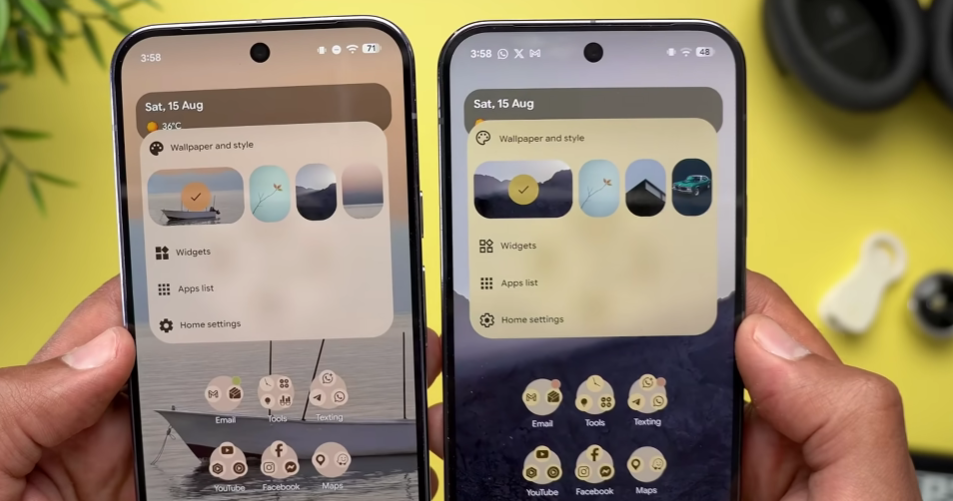
One of the most noticeable changes in the Android 17 QPR2 update is additional customization for Pixel Quick Settings.
Quick Settings is something most Android users open several times a day. It provides shortcuts for Wi-Fi, Bluetooth, brightness, Airplane Mode, media controls and other settings.
Current Beta 3 testing shows that Pixel users can customize the Quick Settings layout more extensively, including the placement of brightness controls, tiles and media-related elements.
This may sound like a small change, but it can make the interface much more convenient.
For example, if you regularly change brightness or mobile data settings, placing those controls where they’re easiest to reach can save time.
Why This Is Useful
The main advantage is flexibility. Instead of adapting yourself to Google’s default arrangement, the interface gives you more control over how frequently used controls are organized.
For users who like customizing their phones, this is one of the more noticeable QPR2 changes.
App Lock and Privacy Improvements
Another interesting addition in the beta is App Lock.
Current testing of Beta 3 shows App Lock appearing as part of the Pixel experience. It provides another layer of protection for selected applications, which can be useful when your phone contains private information.
You might want extra protection for apps containing:
- Private conversations
- Personal photos
- Financial information
- Work documents
- Sensitive account details
This is particularly useful if you regularly hand your phone to someone else but don’t want them opening specific applications.
The exact experience may still change because QPR2 is a beta, so users should treat the current implementation as a preview rather than a final specification.
Expanded Dynamic Color
Google is also expanding personalization options through Dynamic Color.
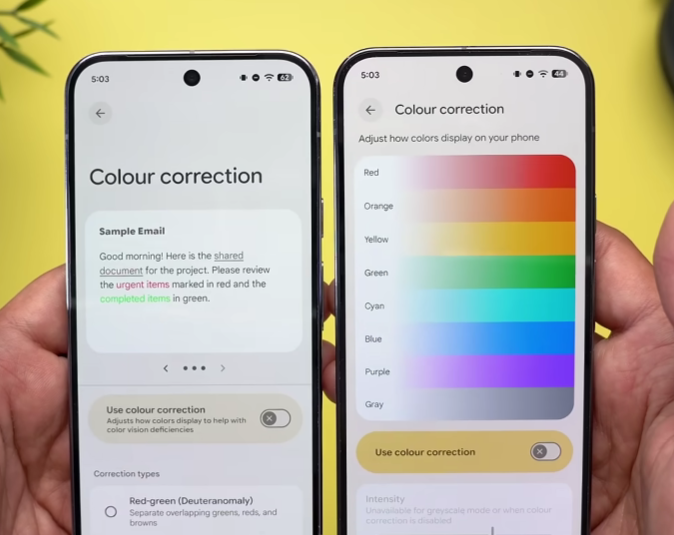
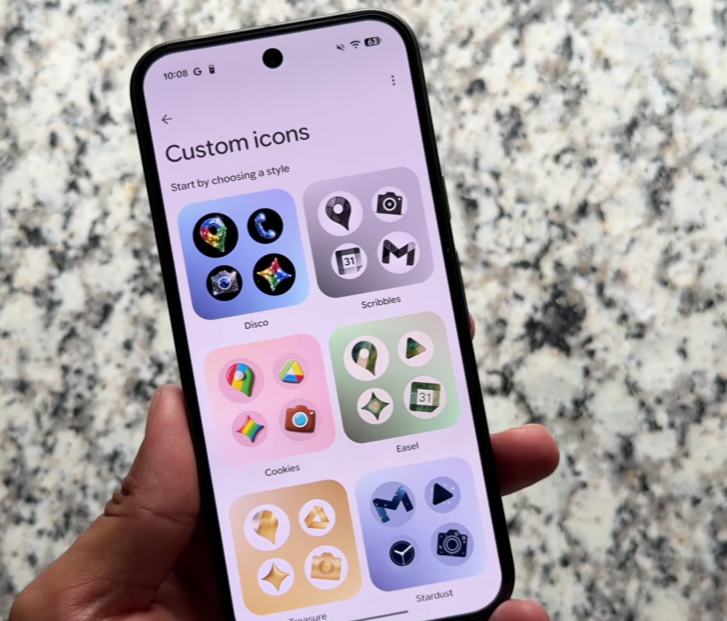
Current QPR2 Beta 3 testing shows broader Dynamic Color theming on Pixel devices. This allows the system’s visual appearance to adapt more extensively around the user’s chosen colors and wallpaper.
For users who enjoy personalizing their phone, this can make Android feel less generic.
Instead of manually changing individual elements, system-level colors can create a more consistent appearance across supported parts of the interface.
Pixel Lock Screen Blur
Another visual change being tested is blur on the Pixel lock screen.
This is a relatively small visual adjustment, but it gives the lock screen a softer appearance and adds another layer to the overall design. Current hands-on reports identify this as one of the user-facing changes in QPR2 Beta 3.
It’s not a feature that will dramatically change how you use your phone, but it contributes to the broader visual polish of the update.
Call-Forwarding Scam Protection
One of the most important changes in the Android 17 QPR2 update is not a visual feature at all.
Google has introduced new restrictions designed to protect users against call-forwarding fraud.
According to Google’s official release notes, Android 17 QPR2 Beta 3 adds restrictions around programmatic call-forwarding USSD codes. Standard apps using the relevant API with only the CALL_PHONE permission can no longer silently execute certain call-forwarding codes in the background.
There’s also a user-facing protection.
When someone manually enters a supported call-forwarding code through the system dialer, Android now displays an OS-level confirmation before the command is executed.
Why This Matters
This is especially important because scammers can use social engineering to trick users into activating call forwarding.
If call forwarding is enabled without the user’s understanding, incoming calls can potentially be redirected elsewhere.
The new confirmation gives users another chance to notice what’s happening before approving the action.
Google also states that non-call-forwarding USSD requests, such as mobile-money transfers and account checks, aren’t affected by this specific restriction.
Important Bug Fixes in Beta 3
The Android 17 QPR2 update also addresses some annoying problems reported during earlier beta testing.
Quick Settings Restart Bug
Google fixed an issue where opening the notification shade or Quick Settings could cause visual corruption and an unexpected device restart.
That’s a significant fix because these are basic parts of the Android interface that users access regularly.
Incorrect Battery Health Warning
Another issue involved the Device Health and Support tool incorrectly warning users about battery-capacity degradation.
Google lists this as fixed in Beta 3.
This is particularly useful because incorrect battery-health information can make users unnecessarily worry that their phone’s battery is failing.
Supported Pixel Phones
Before checking QPR2 availability, you can also see our complete guide to Android 17 eligible phones.
Android 17 QPR2 Beta 3 is available through Google’s beta program on supported Pixel hardware.
Current information lists devices including:
- Pixel 6a
- Pixel 7
- Pixel 7 Pro
- Pixel 7a
- Pixel 8
- Pixel 8 Pro
- Pixel 8a
- Pixel 9
- Pixel 9 Pro
- Pixel 9 Pro XL
- Pixel 9 Pro Fold
- Pixel 9a
- Pixel 10
- Pixel 10 Pro
- Pixel 10 Pro XL
- Pixel 10 Pro Fold
- Pixel 10a
- Pixel Fold
- Pixel Tablet
Google’s QPR2 page says the beta is available on select Pixel devices and through the Android Emulator.
The exact device eligibility can change during the beta cycle, so check Google’s official Android 17 QPR2 page before installing the software.
Android 17 QPR2 vs Android 17
If you’re still using Android 16, see our Android 17 vs Android 16 comparison to understand the bigger differences.
| Feature | Android 17 | Android 17 QPR2 Beta 3 |
|---|---|---|
| Type | Major Android platform release | Quarterly update |
| Main focus | New platform capabilities | Refinements and improvements |
| Quick Settings | Standard Android 17 experience | More Pixel customization |
| Privacy | Android 17 privacy features | Adds App Lock in current testing |
| Security | Android 17 security improvements | Call-forwarding fraud protection |
| Personalization | Android 17 customization | Expanded Dynamic Color |
| Bug fixes | Yes | Additional QPR2 fixes |
| Stability | Stable platform | Beta software |
The important difference is that QPR2 isn’t a completely new Android version. It’s an update designed to improve the Android 17 experience.
Should You Install Android 17 QPR2 Beta 3?
This depends on what you expect from your phone.
If you experience problems after updating, our guide to Android 17 update problems covers common issues and possible fixes.
You Should Consider the Beta If:
- You own a supported Pixel
- You enjoy testing new Android features
- You don’t mind occasional bugs
- You want to try new Pixel customization options
- You are comfortable troubleshooting software problems
- You have another device available if something goes wrong
You Should Wait If:
- Your phone is essential for work
- You depend heavily on banking apps
- You need maximum stability
- You don’t enjoy beta software
- You don’t want to deal with unexpected bugs
For most everyday users, waiting for the stable release is the safer option.
Beta software is mainly useful for enthusiasts, developers and people who are comfortable testing unfinished features.
How to Get Android 17 QPR2 Beta
If your Pixel is eligible and you want to test the beta, use Google’s official Android Beta process.
Before installing, make sure you:
- Back up important photos and files.
- Check that your device is eligible.
- Read the latest release notes.
- Understand that the software is still in beta.
- Have enough battery and storage.
- Avoid relying on unofficial installation files.
Google provides official instructions and beta information on its Android 17 QPR2 developer page.
If you’re using your main phone for banking, work or other important tasks, waiting for the stable build is generally the more sensible approach.
Pros and Cons
Pros
- More Quick Settings customization
- App Lock adds another privacy layer
- Expanded Dynamic Color options
- Pixel lock screen visual improvements
- Stronger protection against call-forwarding fraud
- Important bug fixes
- Continued refinement of Android 17
Cons
- QPR2 is still beta software
- Some features may change before stable release
- Bugs can still appear
- Availability is focused on supported Pixel devices
- Not every Android 17 phone receives the beta
- Some changes are mainly useful for Pixel users
Frequently Asked Questions
1. What is the Android 17 QPR2 update?
The Android 17 QPR2 update is a Quarterly Platform Release that builds on Android 17 with additional improvements, security changes, customization options and bug fixes. The current QPR2 release is still in beta.
2. What is new in Android 17 QPR2 Beta 3?
Beta 3 adds call-forwarding fraud protection and fixes issues involving Quick Settings, unexpected restarts and incorrect battery-health warnings. Current Pixel testing also shows App Lock, Quick Settings customization, expanded Dynamic Color and lock-screen blur.
3. Is Android 17 QPR2 stable?
No. The current Android 17 QPR2 release is Beta 3. Google is still testing the update, so users who want maximum stability should wait for the stable release.
4. Which phones can get Android 17 QPR2 Beta 3?
The beta is available on select supported Pixel devices through Google’s Android Beta program. The supported-device list can change during the testing period, so checking Google’s official QPR2 page before enrolling is recommended.
5. Should I install Android 17 QPR2 Beta 3?
If you enjoy testing new features and have a compatible Pixel, the beta can be worth trying. If your phone is important for work, banking or daily reliability, waiting for the stable version is the better choice.
Final Verdict
The Android 17 QPR2 update is more than a routine maintenance release. Beta 3 brings several useful changes to the Pixel experience, including additional Quick Settings customization, App Lock, expanded Dynamic Color options and lock-screen visual refinements.
The security improvement may actually be the most important part of the update. Google’s new call-forwarding protections are designed to make it harder for malicious apps and social-engineering scams to activate call forwarding without proper user confirmation.
At the same time, it’s important not to forget that QPR2 is still beta software. Some features can change before the final release, and users may still encounter bugs. That’s why the beta makes the most sense for Pixel enthusiasts and testers rather than people who simply want a completely stable phone.
If you’re already running Android 17 and don’t need to experiment with new features, there’s no urgent reason to install beta software. Waiting for the stable release gives you the improvements without taking on the additional risks of testing an unfinished build.
Overall, the Android 17 QPR2 update looks like a worthwhile refinement of Android 17. The combination of better customization, stronger security and targeted bug fixes makes Beta 3 an interesting release to watch, even if most users should wait for the stable version before making the jump.
The Android 17 QPR2 update feels like a practical step forward rather than a major redesign. What I like about the Android 17 QPR2 update is that it focuses on small changes that can make everyday phone use more convenient. The security improvements in the Android 17 QPR2 update are also worth paying attention to, especially the added protection against call-forwarding scams. At the same time, the Android 17 QPR2 update brings more customization through Quick Settings and Dynamic Color, giving Pixel users greater control over their experience. For privacy-conscious users, the Android 17 QPR2 update also makes App Lock an interesting addition. Since the Android 17 QPR2 update is still in beta, though, users should remember that some features can change before the final version. Overall, the Android 17 QPR2 update looks promising for people who enjoy testing new software, while everyday users may be better off waiting for the stable release of the Android 17 QPR2 update.