
Every time Google releases a new Android version, one question quickly comes to mind: is it really worth updating? Android 16 already brought several useful changes, so the arrival of Android 17 naturally makes users wonder whether the newer version offers enough improvements to make a difference in everyday use. If you’re comparing Android 17 vs Android 16, the answer isn’t simply about which version has the bigger number.
Android 17 focuses on making Android more flexible, secure and useful across different types of devices. From better multitasking and privacy controls to improvements for tablets, foldables, gaming and screen recording, there are quite a few changes worth knowing about. At the same time, Android 16 introduced some important features that many users may still be using today.
In this guide, we’ll take a straightforward look at Android 17 vs Android 16, including the biggest feature changes, security and privacy improvements, performance differences, multitasking, large-screen support and the things that actually matter to everyday users. By the end, you’ll have a clearer idea of whether you should update to Android 17 or whether staying on Android 16 is perfectly fine for now.
Whenever a new Android version arrives, most users have the same question: is it actually worth upgrading? The comparison of Android 17 vs Android 16 has become especially interesting because Android 16 already introduced several useful changes. Now that Android 17 is available, users want to know whether the newer version brings meaningful improvements or simply adds a few extra features.
At first glance, Android 17 vs Android 16 may look like a simple comparison between an older and newer version. But there is more to it than that. Google has worked on areas such as multitasking, privacy, security, screen recording, gaming and support for larger displays in Android 17. These changes may be more noticeable on newer phones, tablets and foldable devices.
For everyday users, Android 17 vs Android 16 is not just about having the latest software number. What really matters is whether the update makes the phone easier, safer or more enjoyable to use. Someone who mainly uses WhatsApp, YouTube and social media may notice only a few differences, while power users could benefit much more from the new multitasking and productivity features.
Another important part of Android 17 vs Android 16 is performance. A newer Android version does not automatically make every smartphone faster, because the final experience also depends on the processor, RAM, storage, manufacturer software and app optimization. That’s why it’s better to look at the actual changes instead of expecting a dramatic speed boost.
Security and privacy also make Android 17 vs Android 16 worth discussing. Android 16 already offered strong security improvements, while Android 17 continues building on that foundation with additional privacy controls and security-related changes. These improvements may not always be visible, but they can have a real impact on how safely you use your phone.
In this guide, we’ll break down Android 17 vs Android 16 in simple terms, compare their biggest features, look at performance, privacy, security, multitasking, gaming and large-screen support, and finally help you decide whether updating to Android 17 is worth it for your device.
Table of Contents
Android 17 vs Android 16: What’s the Difference?
Every new Android version brings something different, but not every update feels like a massive redesign. Android 16 introduced several useful changes in 2025, including Live Updates, notification improvements, stronger security tools and desktop-style windowing for compatible large-screen devices.
Android 17 takes a slightly different approach. Instead of simply changing the look of Android, Google has focused heavily on multitasking, privacy, security, media, camera capabilities, gaming and better support for different device types. Google describes Android 17 as part of its move toward a more adaptive and intelligent Android experience.
If you’re deciding whether the newer version is worth installing, the answer depends on how you use your phone. Someone who mainly uses WhatsApp, YouTube and social media may notice fewer dramatic differences than a user who owns a foldable, tablet or high-end phone.
So let’s break down what actually changed and whether upgrading makes sense.
Android 17 vs Android 16: Feature Comparison
Here’s a quick look before we get into the details:
| Feature | Android 16 | Android 17 |
|---|---|---|
| Live Updates | Yes | Improved platform support |
| Notification improvements | | Yes | Further system refinements |
| Desktop windowing | Yes, especially large screens | More adaptive multitasking |
| Floating app windows | Limited | Bubbles for any app |
| Screen recording | Available | Screen Reactions and improved toolbar |
| Privacy | Strong | More granular controls |
| Security | Advanced Protection | Additional theft and device protections |
| Bluetooth | Improved | Automatic bond recovery |
| Gaming | Improved | Foldable gaming optimization |
| WebGPU | Not a major user-facing feature | Expanded platform support |
| Memory management | Existing approach | New memory limits |
| Contacts access | Permission based | New system Contacts Picker |
| Large-screen support | Major improvement | Further adaptive changes |
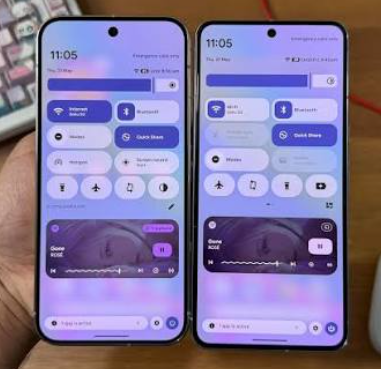
Android 16 established many of the foundations, while Android 17 expands the experience in areas such as multitasking, privacy, media and performance.
What Android 17 Adds
If you’re interested in the complete feature breakdown, check our Android 17 new features guide.
1. Bubbles Make Multitasking Easier
One of the most noticeable changes is the new Bubbles experience.
Android 17 allows users to turn an app into a floating bubble by long-pressing its launcher icon. The bubble can remain above other apps, allowing you to quickly switch between tasks. On large-screen devices, bubbles can appear in a dedicated bubble bar.
Imagine reading an article while keeping Google Maps, a calculator or a messaging app easily accessible. Instead of constantly switching between full-screen apps, you can keep the relevant app within reach.
For people who multitask frequently, this is one of the more useful Android 17 changes.
2. Screen Reactions Improve Screen Recording
Android 16 already offered useful screen-related features, but Android 17 pushes screen recording further.
With Screen Reactions, users can record their phone screen while also capturing themselves through the front camera. A new toolbar makes the process easier and adds more flexibility when recording or annotating content.
This could be particularly useful for:
- Tutorials
- Gaming videos
- App demonstrations
- Troubleshooting guides
- Social media content
- Quick reactions
For creators, this is more than a cosmetic change.
3. Better Privacy Controls
Privacy continues to be a major part of Android development.
Android 17 introduces a new system Contacts Picker that allows apps to request access to selected contact information without necessarily needing broad contacts permission. This gives users more control over what information an app can access.
Android 17 also includes additional privacy-related behavior changes, including stronger handling of sensitive information entered through physical devices.
This is the type of improvement that may not look exciting in screenshots but can make everyday smartphone use safer.
4. Stronger Protection Against Theft
Security is another area where Android 17 builds on the previous version.
Google highlights new protections designed to help users lock down a device if it is stolen, alongside broader improvements to privacy and security.
Android 16 already introduced Advanced Protection, Google’s strongest mobile-device protection option, designed to help defend against harmful apps, unsafe websites, scam calls and other attacks.
So the difference isn’t that Android 16 was insecure. Instead, Android 17 continues extending the security system.
What Android 16 Did Better
It would be unfair to treat Android 16 as simply an older version that should be forgotten.
Android 16 introduced several important features that remain useful.
Live Updates
Android 16 introduced Live Updates for compatible apps, allowing users to see ongoing information such as delivery or ride progress directly in notifications. It also introduced automatic grouping of notifications from the same app to reduce clutter.
This was a meaningful improvement for people who receive a lot of notifications every day.
Desktop Windowing
Android 16 also made large-screen Android devices more productive with desktop-style windowing.
On compatible tablets, users can open, move and resize multiple app windows on the same screen. Google also introduced additional productivity improvements around keyboard shortcuts and taskbar behavior.
Android 17 continues the adaptive approach rather than completely replacing it.
Material 3 Expressive
Android 16 also marked the beginning of Google’s Material 3 Expressive design direction, bringing more customization, animation and visual feedback to Android.
So if you are using Android 16 on a supported phone with a manufacturer’s custom interface, you may already have many of the visual improvements associated with the newer Android experience.
Android 17 vs Android 16 for Multitasking
This is one of the areas where Android 17 has a clear advantage.
Android 16 improved multitasking considerably, particularly on tablets and large displays. Desktop windowing made Android feel more like a traditional computer when using multiple apps.
Android 17 adds another layer with Bubbles.
Instead of treating multitasking only as a multi-window feature, Android 17 makes it easier to keep individual apps accessible while working somewhere else.
For example, you could:
- Read a webpage while keeping a calculator available
- Follow a map while checking another app
- Watch a tutorial while taking notes
- Keep a messaging app accessible while browsing
- Switch between frequently used apps more quickly
If multitasking is important to you, Android 17 is a worthwhile upgrade.
Privacy and Security Improvements
Both versions take security seriously.
Android 16
Android 16 introduced Advanced Protection, stronger notification handling and identity-related security improvements. Google positioned the update as a major step toward protecting users from online attacks, harmful apps and scam calls.
Android 17
Android 17 continues this approach with more granular data access, new contacts-selection tools and additional device-theft protections.
It also introduces changes that developers need to follow, including stronger memory rules and restrictions around certain background activities.
For regular users, the important point is simple: Android 17 doesn’t replace the security work from Android 16; it builds on it.
Performance and Battery Changes
Performance improvements aren’t always easy to notice because manufacturers can heavily customize Android.
Still, Android 17 introduces changes designed to make app behavior more predictable.
One example is the new app memory-limit system. Android 17 uses device RAM to establish memory limits intended to reduce problems caused by extreme memory leaks and inefficient apps. Google says the goal is to improve system stability and reduce issues such as UI stuttering, increased battery drain and unnecessary app termination.
Android 17 also introduces a new lock-free implementation of MessageQueue for apps targeting Android 17 or higher, which is intended to improve performance and reduce missed frames.
However, don’t expect every phone to suddenly become dramatically faster after installing Android 17.
The actual experience depends on:
- Processor
- RAM
- Storage speed
- Manufacturer software
- Background apps
- Battery health
- App optimization
Camera, Media and Gaming
Android 17 also brings several changes for users who care about photography, media and gaming.
During development, Google added camera and media improvements, including support for professional RAW14 image capture on compatible hardware.
For developers, Android 17 also expands graphics capabilities with WebGPU support, giving apps access to modern graphics and compute APIs built around Vulkan.
Gaming is another area getting attention. Google highlights an optimized gaming mode for foldable devices, helping games make better use of different screen layouts.
The important word here is compatible.
Not every phone will support every advanced camera, graphics or gaming feature. Hardware and manufacturer software still matter.
Large Screens and Foldable Phones
Android 16 already made a big step toward better large-screen productivity with desktop windowing.
Android 17 continues Google’s adaptive-first approach.
The platform includes further changes affecting large-screen apps, including stricter handling of orientation, resizability and aspect-ratio restrictions for apps targeting Android 17.
For foldable and tablet owners, this matters more than it does for someone using a traditional phone.
Android 17 is increasingly designed around the idea that Android apps should work naturally across different screen sizes instead of being built only for a standard smartphone display.
Should You Update to Android 17?
Before updating, it’s also worth checking whether your current phone is expected to receive the update. See our Android 17 eligible phones guide for the latest information.
Before updating, it’s also worth knowing about the common issues that can appear after a major software upgrade. Check our Android 17 update problems guide for troubleshooting tips and solutions.
Android 17 is also receiving further improvements through QPR releases. See our Android 17 QPR2 update guide for the latest changes.
For most supported users, yes.
There isn’t much reason to stay on Android 16 simply because it feels familiar.
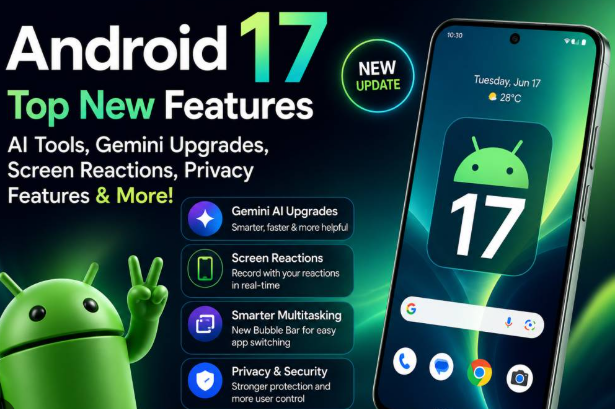
Android 17 brings improvements in:
- Multitasking
- Privacy
- Security
- Screen recording
- Gaming
- Bluetooth
- Large-screen support
- App performance
- Camera and media capabilities
However, there are situations where waiting briefly can make sense.
You may want to wait if:
- Your phone is your primary work device
- You depend on a specific app that hasn’t been updated
- Your manufacturer has a history of buggy major updates
- You need maximum stability
- The update has only recently started rolling out to your model
Major Android updates can behave differently depending on the manufacturer’s software layer.
So if your phone has just received Android 17, checking early user reports for your exact model can be sensible.
Android 17 vs Android 16: Which Is Better?
For a new phone, Android 17 is obviously the better starting point because it is the newer platform.
But if you’re already using Android 16, the upgrade is more about refinement and new capabilities than a completely different operating system.
Android 17 is better for:
- Heavy multitasking
- Foldables
- Tablets
- Privacy-conscious users
- Content creators
- Gaming
- Newer hardware
- Long-term software support
Android 16 remains perfectly capable for:
- Everyday communication
- Social media
- Streaming
- Browsing
- Basic photography
- Standard productivity
- Users who don’t need the newest features
That’s why upgrading isn’t an emergency for every Android 16 user.
Pros and Cons of Android 17
Pros
- Better multitasking with Bubbles
- Improved screen-recording tools
- Stronger privacy controls
- Additional theft protection
- Better large-screen support
- New graphics capabilities
- Foldable gaming improvements
- Improved Bluetooth recovery
- New developer and performance improvements
Cons
- Availability depends on your phone manufacturer
- Some features require compatible hardware
- Major updates can initially contain bugs
- Not every Android 17 feature will be available on every phone
- Older devices may receive a limited feature set
Pros and Cons of Android 16
Pros
- Mature and stable platform
- Live Updates
- Improved notifications
- Advanced Protection
- Desktop windowing on compatible tablets
- Material 3 Expressive design direction
- Strong large-screen improvements
Cons
- Doesn’t include Android 17’s newest multitasking features
- Fewer of the latest privacy and security improvements
- Older platform compared with Android 17
- Some newer hardware features are designed around later Android releases
Frequently Asked Questions
1. Is Android 17 better than Android 16?
Yes, Android 17 is the newer platform and adds improvements in multitasking, privacy, security, media, gaming and adaptive experiences. However, Android 16 remains a capable version for everyday smartphone use.
2. Should I update from Android 16 to Android 17?
If Android 17 is officially available for your phone, updating is generally recommended because it brings newer security and platform improvements. If your phone is used for critical work, you may want to wait briefly for manufacturer-specific bugs to be identified.
3. What is the biggest change in Android 17?
For everyday users, Bubbles and the improved screen-recording experience are among the most noticeable changes. Android 17 also adds broader privacy, security and large-screen improvements.
4. Will Android 17 make my phone faster?
It may improve performance and system stability, but the result depends heavily on your phone’s processor, RAM, storage, software and app optimization. Android 17 introduces new memory-management rules intended to improve stability, but it isn’t a guaranteed speed boost for every device.
5. Will every Android 16 phone get Android 17?
No. Android updates depend on the manufacturer’s software-support policy, device age, hardware and region. Google released Android 17 first to supported Pixel devices, while other manufacturers have their own rollout schedules.
Final Verdict
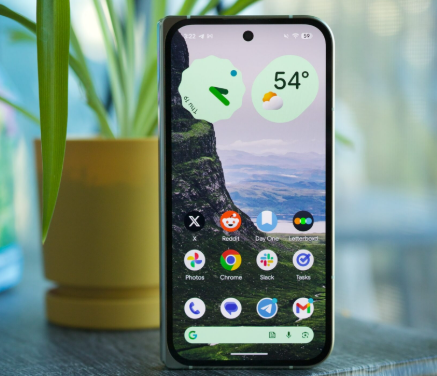
After comparing Android 17 vs Android 16, the newer version clearly has more to offer, especially if you use your phone for multitasking, gaming, content creation or productivity. Android 16 introduced important foundations such as Live Updates, stronger security and desktop windowing, while Android 17 builds on that foundation with floating Bubbles, improved screen recording, additional privacy controls, new performance behavior and better support for modern device types.
If your phone officially supports Android 17, I would recommend updating once the release is available and stable for your particular model. You don’t necessarily need to rush on day one, but there is little reason to remain on Android 16 indefinitely when the newer version offers useful security and platform improvements.
For users still deciding between the two versions, Android 17 vs Android 16 isn’t really a question of whether Android 16 was bad. Android 16 was an important update in its own right. Android 17 simply takes the platform another step forward.
So, if your device supports the update and you want the latest Android experience, Android 17 is the better choice for 2026.
After looking closely at Android 17 vs Android 16, it is clear that Android 17 is the more complete platform for users who want newer features, stronger privacy controls and better support for modern devices. However, Android 17 vs Android 16 is not really about making Android 16 look outdated. Android 16 introduced several important features that are still useful today.
When comparing Android 17 vs Android 16, the biggest advantages of Android 17 are its improved multitasking, privacy, security, screen-recording tools, gaming support and better experience on larger displays. For users with newer phones, these changes can make the upgrade feel worthwhile.
At the same time, Android 17 vs Android 16 can look quite different depending on the phone you own. Manufacturers add their own software features, so the experience on a Samsung Galaxy can be different from the experience on a Pixel, OnePlus or Motorola device.
For someone who mainly uses their phone for messaging, browsing, YouTube and social media, the difference between Android 17 vs Android 16 may not feel huge on the first day. Power users, gamers, creators and people using tablets or foldables are more likely to notice the newer capabilities.
Another reason to consider Android 17 vs Android 16 is long-term software support. Staying on a newer Android version can provide access to newer platform features and security improvements, although the actual update schedule depends on your phone manufacturer.
So, should you update? If your device officially supports Android 17, there is generally little reason to stay on Android 16 forever. Still, if your phone is essential for work or you prefer maximum stability, waiting a short time after the update becomes available for your model can be a sensible choice.
Ultimately, Android 17 vs Android 16 comes down to what you expect from your smartphone. Android 16 remains a capable and reliable version, but Android 17 is the better choice if you want Google’s latest Android experience and the newer features that come with it.